
How cam-to-cam chat works: setup, sessions, and safety
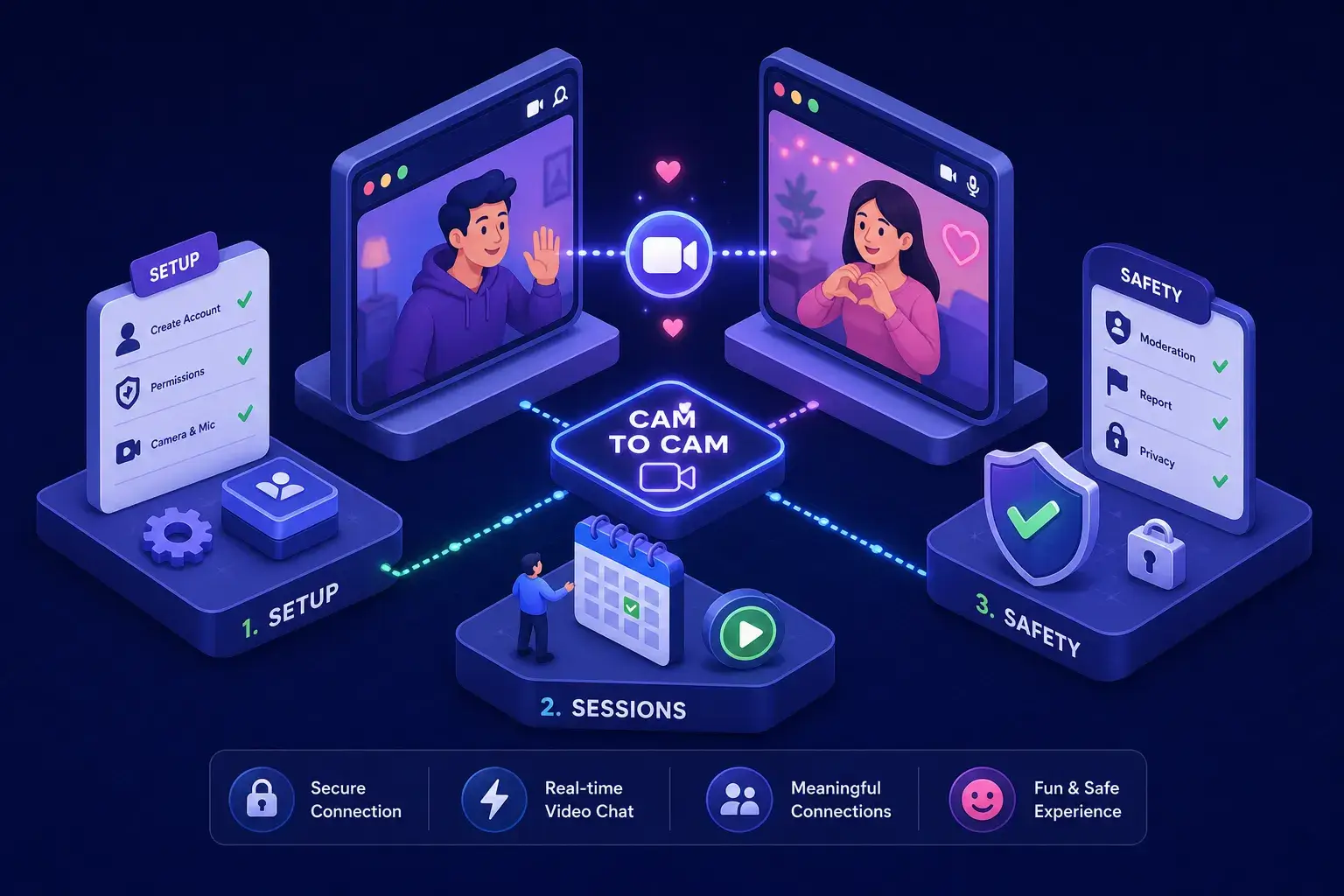
If you’ve ever wondered how does cam to cam chat work online, the answer is simpler than most people expect. No app to download, no account to create, no credit card to unlock anything. Cam-to-cam video chat runs entirely inside your browser, two-way and live, with nothing to install. You see the other person in real time; they see you. The technology making it possible is built directly into Chrome, Firefox, Safari, and Edge, which means your device is already ready.
This guide walks through exactly how a live webcam-to-webcam connection works: the browser technology underneath it, how to set up camera permissions correctly, what a one-on-one session actually feels like, and how to protect your privacy before you go live. If you want to test the experience right now, SexChatShow.com lets you jump into a live cam-to-cam room instantly, no registration, no fee, and nothing to fill out.
What cam-to-cam chat actually is
The difference between live webcam chat and pre-recorded video
Cam-to-cam chat means both people are streaming real-time video to each other simultaneously. Neither side is watching a replay or a looping clip; the feed is live, happening right now in this exact moment. This is fundamentally different from a pre-recorded adult video or a one-sided stream where only one broadcaster transmits to a passive audience.
The “mutual” part is what sets it apart. Both cameras are on, both people are present, and the interaction is reciprocal. That quality of mutual presence is what makes a live two-way session feel more personal and immediate than any other format of online adult entertainment.
One-on-one sessions vs. open chat rooms
Most platforms offer two modes. Open rooms let many viewers watch a single performer’s feed, while a true one-on-one session puts both parties on camera at the same time. The private format is what most people mean when they ask how does cam to cam chat work online between two users, it’s a bilateral connection rather than a broadcast. Knowing which mode a platform supports before you join saves a lot of confusion about what you’ll actually see and what you’ll be asked to share.
How does cam to cam chat work online: the technology explained
How WebRTC creates a direct stream between two browsers
WebRTC (Web Real-Time Communication) is the open standard built into every modern browser that makes cam-to-cam chat possible without plugins or downloads. When you grant a site camera access, your browser captures your video feed using an API called getUserMedia. It then negotiates a direct connection with the other person’s browser so media flows between the two of you, not through a central server handling the actual video. If you want a technical overview, read this WebRTC video call guide for a clear, non-commercial explanation.
The process starts with what’s called an SDP offer (a description of your browser’s supported codecs and connection requirements). The other browser sends back an answer, both sides exchange ICE candidates, essentially a list of network addresses and ports they can be reached on, and once a working path is found, the stream goes live. The whole negotiation takes a fraction of a second. For a developer-focused breakdown of WebRTC video streaming concepts, see the LogRocket guide to WebRTC video streaming.
The role of signaling servers and TURN relays
Before the direct connection is established, both browsers exchange connection details through a signaling server. Think of it as a coordination step: the signaling server helps the browsers find each other, but it never carries your actual video. Once the browsers locate a valid path, media travels peer-to-peer. If a firewall or restrictive network blocks that direct route, a TURN server steps in as a relay to keep the stream alive.
Why no download or plugin is required
Because WebRTC is native to Chrome, Firefox, Safari, and Edge, the browser handles everything at the operating system level. No Flash, no proprietary codec, no install prompt. If a cam-to-cam site tells you to install something before you can use your camera, that’s a red flag. A legitimate platform using WebRTC needs nothing beyond a browser tab and your permission to access the camera.
Granting your browser camera permissions the right way
What the permission prompt means and how each browser handles it
The first time a webcam chat site requests your camera and microphone, your browser shows a permission dialog at the top of the screen. In Chrome, you click “Allow” in the address bar popup (see Chrome’s camera and microphone settings). Firefox shows a confirmation box where you can also check “Remember this decision”, learn how to manage your camera and microphone permissions in Firefox. Safari prompts inline on the page, and you manage per-site permissions under Safari Settings, then Websites, then Camera and Microphone. Edge follows a similar flow to Chrome, displaying a popup in the address bar.
Every modern browser requires the site to be running over HTTPS before it will even display the permission prompt. If a site loads over plain HTTP, your camera will never activate regardless of what you click. This is a non-negotiable browser security requirement, not a platform-specific setting, so check the address bar before troubleshooting anything else.
How to revoke access after a session ends
Revoking camera access is just as simple as granting it. In Chrome, click the camera icon in the address bar and set the site to “Block.” In Firefox, go to Settings, then Privacy and Security, then Permissions, and remove the site from the allowed list. In Safari, return to Settings, then Websites, and change the site’s permission to “Deny.” Revoking doesn’t affect your ability to return to the site later; you’ll simply be prompted to grant access again when you do.
What to expect from your first live session
Bandwidth, resolution, and latency in a real one-on-one chat
A stable one-on-one HD session typically requires around 2 to 3 Mbps of upload speed. Most home and mobile connections handle this comfortably, but upload bandwidth is the limiting factor, not download. Resolution commonly lands at 720p, though some platforms cap at 480p to reduce lag on slower connections. Latency in a well-optimized peer-to-peer connection usually sits between 150 and 300 milliseconds, which feels nearly instantaneous in conversation.
If your session is choppy or dropping frames, run a speed test and check your upload specifically. A slow upload line is the most common culprit for poor outbound video quality, and no amount of settings adjustment will fully compensate for genuinely limited upload bandwidth.
Fixing the most common setup issues
A handful of problems come up repeatedly during a first session, and each has a quick fix. A black screen almost always means the browser doesn’t have camera permission, or another app has the camera locked; close other video apps and refresh the page. No outbound video usually points to an HTTP rather than HTTPS connection, which prevents the browser from activating your webcam at all. Echo during chat is nearly always resolved by switching from speakers to headphones, which stops your mic from picking up its own audio output and looping it back into the call.
How does cam to cam chat work online across different platforms
No-registration platforms vs. account-required sites: what the difference means for you
Some webcam chat sites require a Google sign-in or email registration before you can go live. Others let you join as a guest with zero setup. The registration requirement affects privacy directly: an account ties your activity to an identity, while a no-registration platform lets you connect anonymously. Options like Chatroulette, Joingy, and TinyChat allow guest access, though moderation quality and content type vary across all of them.
For adults specifically, the no-registration model matters more than it does on general video chat apps. Entering your email to access adult content creates a data trail. A platform that never asks for your identity in the first place removes that concern at the source.
Why SexChatShow.com is worth trying first
For adults looking for a no-friction, no-registration cam-to-cam experience, Cam to Cam Sex Chat, Adult Cam Chat for Strangers removes every typical barrier. There’s no account, no subscription, and no form to fill out. You land on the site, choose a cam-to-cam room, grant your browser camera permission, and you’re live in seconds. The platform streams 100% live content with no pre-recorded video, and it offers private one-on-one rooms alongside open category rooms covering MILF, BBW, gay, lesbian, trans, BDSM, and more.
Where other platforms bury the cam-to-cam feature behind a paywall or require credits before you can activate your own camera, SexChatShow.com makes mutual video the starting point, not an upsell. For more on what makes the site a popular choice, check out the Top 7 Reasons to Choose SexChatShow.com for Your Adult Chat Needs.
Privacy and safety practices before you hit “Go Live”
The real risks: recording, doxxing, and what your camera reveals
The most important thing to understand before any cam-to-cam session is that the other person can record it using screen-capture software. Once a video exists, you have no control over where it goes. Beyond recording, your camera frame can reveal identifiable details without you realizing it: your face, your background, papers on a desk, or windows showing a recognizable neighborhood. Your voice and ambient background noise can also be identifying in ways that are easy to underestimate. For a deeper look at the dangers of private chat rooms online, see this discussion of common risks and preventive steps.
That awareness doesn’t argue against live video chat, it just argues for going in with your eyes open. Treating every session as something that could theoretically be saved shapes good habits without creating unnecessary anxiety.
Practical steps that actually reduce your exposure
A few consistent habits make a real difference. Use a virtual or blurred background to remove identifying context from your frame before you go live. Never share your real name, location, phone number, or workplace during a session, regardless of how comfortable the conversation feels. Prefer platforms that don’t require registration, since no account means no stored profile tied to your identity on someone else’s server.
- Use headphones to eliminate echo and avoid accidental microphone feedback
- Close other apps before the session so nothing else has access to your camera
- Cover your webcam physically when you’re done, rather than relying on software alone
- If someone applies pressure or makes you uncomfortable, disconnect immediately without explanation
- Report and block rather than engage with anyone who behaves threateningly or coercively
Ready to try it for yourself
Now you know how does cam to cam chat work online, and the mechanics are straightforward once you see them clearly. WebRTC handles the browser-to-browser connection directly, your browser’s permission system gives you full control over what you share, and most issues that come up during a session have quick fixes. The technology is stable, setup takes about thirty seconds, and the main variable is choosing a platform that matches what you’re looking for.
The privacy steps covered above are worth revisiting before your first session, as is confirming your upload speed and using headphones to prevent echo. If you want to test the experience without committing to any site, Cam to Cam Sex Chat, Adult Cam Chat for Strangers is one of the most frictionless entry points available: no account, no cost, live-only cam-to-cam rooms accessible in seconds. Two browsers, two cameras, one real-time connection. For additional reading and guides on adult cam features, see our Sex Chat Related Articles, SexChatShow.com.