
What You Need for Cam to Cam Sex Chat: Full Setup Guide
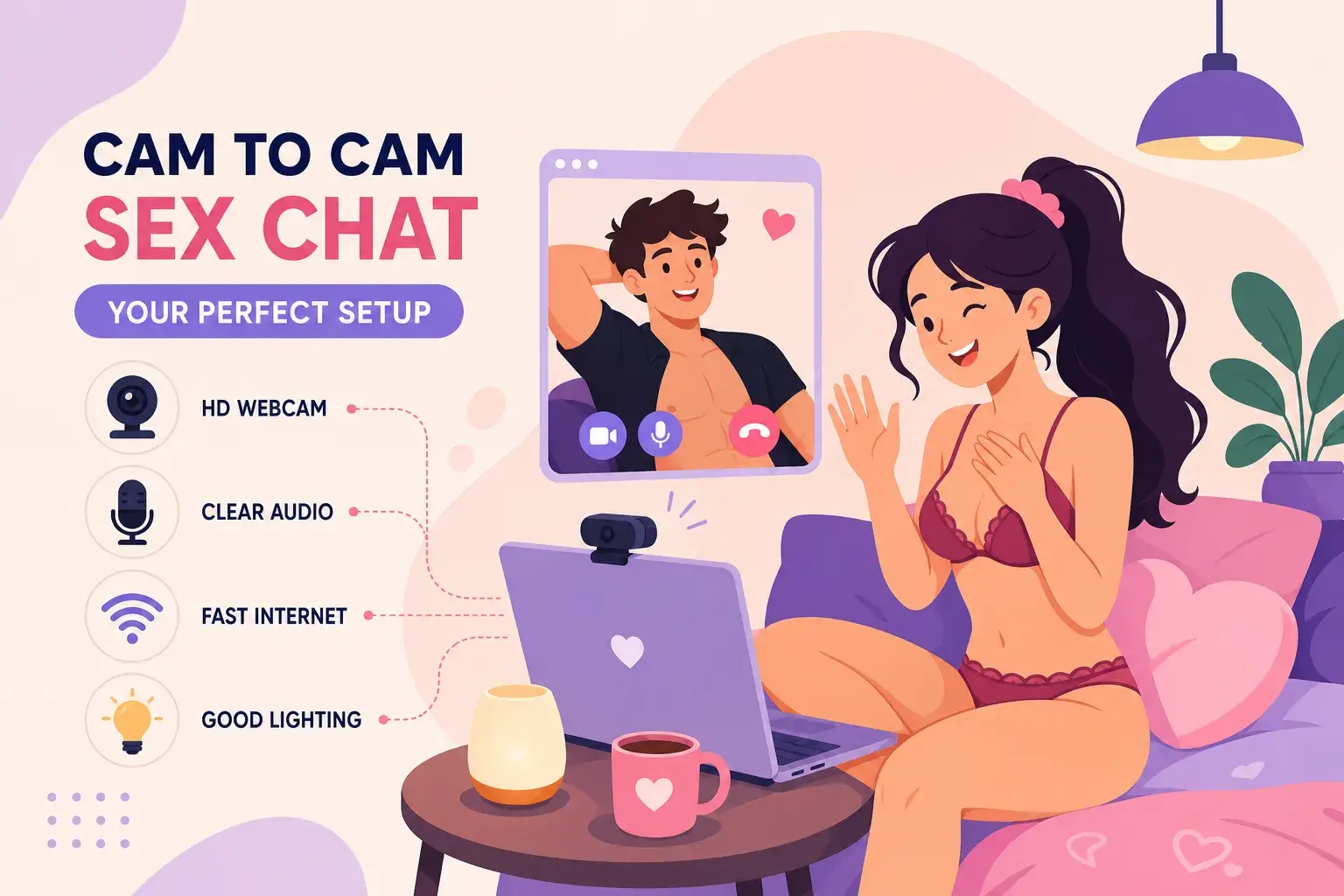
So, what do you need for cam to cam sex chat? The honest answer is less than most people assume, but the wrong version of less leads straight to grainy video, echoing audio, and a frozen screen at the worst possible moment. This guide covers every variable: the gear that actually matters, the connection speed you need, how to choose a platform that doesn’t waste your time, and the privacy habits worth building before your camera ever goes live. If you want to test your setup the moment you finish reading, SexChatShow.com lets you jump into a live cam-to-cam session as a guest with zero registration required.
Five areas determine whether a cam-to-cam sex chat setup works well: gear, internet connection, platform choice, privacy protection, and session etiquette. Get all five right and the experience is smooth from the first session. Miss even one and you’ll feel it.
1. The gear that makes or breaks your cam-to-cam quality
You don’t need a professional broadcast setup for a genuinely good webcam sex chat experience. You do need to clear a few minimums, though, because the other person sees everything your camera sends. Choppy, dark, or blurry video drags down the entire interaction regardless of how good the platform is or how strong your connection runs.
Webcam quality: what 720p, 1080p, and 4K actually mean for you
Resolution determines how sharp and detailed your image appears on the other person’s screen. In a two-way session, your video quality directly shapes their experience, not just the other way around. Treat 720p as the absolute floor for adult cam chat, it’s workable but shows its limitations in lower light. At 1080p you’re in the comfortable sweet spot: crisp image, manageable file size, and stable performance on most connections. At 4K, the jump in clarity becomes most noticeable when your lighting isn’t perfect, because higher-resolution sensors capture more light data to compensate.
Autofocus is where a lot of webcams quietly fail. A camera that hunts and refocuses every time you shift position breaks the intimacy of a private cam show fast. The Logitech Brio Ultra HD sits at the top of the range: excellent low-light handling, reliable autofocus, and 4K resolution that holds up even in a dimly lit bedroom. For a budget-friendly entry under $100, the Logitech C920 and the Insta360 Link 2C both deliver solid 1080p with dependable autofocus. For a complete checklist of useful hardware and accessories, consult this ultimate guide to cam modeling equipment. The built-in webcam on most laptops falls short because the sensors are small, the field of view is often unflattering, and low-light performance is generally poor. An external webcam makes a visible difference from the first session. If you want a deeper technical overview of how the whole two-way setup operates, see How cam-to-cam chat works: setup, sessions, and safety.
Why lighting and audio matter more than the camera spec
A 4K webcam pointed at a dark corner of your bedroom produces worse results than a $50 720p camera in a well-lit space. Lighting is the single most impactful variable in your setup, and a ring light is the easiest starting point. Position it at eye level, roughly one to two feet in front of your face, and it throws even, shadow-free light across your features. A ring light in the $15, $30 range from any major retailer handles the vast majority of bedroom and apartment setups without issues; for a practical tutorial on positioning and use, read this guide on how to use a ring light for video. If you want to take cam sessions more seriously, a pair of softbox LED panels gives you more control over color temperature and direction, creating a more professional look with greater depth.
Audio is the second variable most beginners overlook entirely. A laptop’s built-in microphone picks up every keystroke, fan hum, and room echo, the result sounds hollow and distant. An external USB microphone changes this completely. The Blue Yeti and the Rode NT-USB are both widely used choices that produce voice clarity making the session feel genuinely intimate rather than like a phone call from a decade ago. The upgrade costs less than one paid session on most platforms and makes a more immediate difference than almost any other gear change.
2. What you need for cam to cam sex chat on the connection side
A webcam setup that functions perfectly on your desk is useless if your browser blocks the camera feed or your connection drops every three minutes. Sorting both of these out takes less than fifteen minutes and eliminates the two most common reasons first-time cam-to-cam attempts fail.
Minimum upload speed and what happens when you fall below it
In a two-way video session, upload speed matters more than download speed. You’re sending your live video feed to the other person in real time, and that transmission lives or dies on your upload capacity. For stable HD cam-to-cam, 5 Mbps upload is the working minimum; 10 Mbps is the comfortable threshold where sessions stay smooth even when other devices on your network are active. For 1080p at 60 frames per second, aim for 10, 12 Mbps to include a buffer for natural fluctuation.
When upload speed falls short, the symptoms are obvious: your image freezes on the other person’s screen, audio becomes choppy, and sessions drop without warning. Run a quick test at Speedtest.net before your first session to confirm what you’re actually working with. For guidance on recommended speeds and how different resolutions affect bandwidth, see this article about internet speed for live streaming. If your Wi-Fi is shared or your router is in another room, a wired Ethernet connection is significantly more reliable for live streaming. A VPN, while useful for privacy, reduces upload speed by roughly 10, 30% depending on the server, choose a provider with servers close to your physical location if you plan to run one during a session.
Browser permissions and device compatibility
The two most common reasons people can’t get their camera or microphone working on an adult cam site are blocked browser permissions and outdated browser versions. In Chrome, click the lock icon in the address bar when you’re on the platform’s page, then set Camera and Microphone to Allow. In Firefox, go to Settings, then Privacy and Security, then Permissions, and make sure neither device is blocked for that site. Safari on older macOS versions creates consistent friction with adult cam platforms; switching to Chrome or Firefox solves the problem in most cases.
On mobile, Android and iOS both support cam-to-cam in the browser, but some private show features and camera-switching options work more reliably on desktop. Before granting permissions on any browser, confirm the site is running on HTTPS, both Chrome and Firefox block camera and microphone access on non-secure connections automatically. Keeping your browser updated avoids the permission errors that trip up most beginners.
3. Choosing a platform where cam to cam sex chat actually works from the start
The platform you choose shapes everything: how quickly you get into a session, whether your setup works on the first try, and how much friction stands between you and the actual experience. Most beginner frustration with adult cam chat comes not from bad gear or a slow connection but from platforms that bury the entry point behind registration walls and payment screens.
What separates a beginner-friendly cam-to-cam platform from a frustrating one
A genuinely beginner-friendly platform lets you verify that your webcam and microphone are working before you commit to anything. That means no mandatory account creation just to browse, no credit card required before the first session, and camera-enable prompts clear enough to follow without a tutorial. The platform you test on first should let you confirm everything is functioning before you make any decisions about accounts or payments, not after you’ve already navigated a sign-up funnel or hit a paywall at the preview screen.
SexChatShow.com: where you can jump into a live session right now
SexChatShow.com removes every barrier described above. Guest users access live cam-to-cam sessions immediately, no account creation, no payment information, no waiting, which makes it the practical place to run a live test of all the gear and settings this guide covers. If your webcam is working, your microphone is clear, and your permissions are set correctly, you’ll confirm all three within the first two minutes of opening the site.
The platform covers a wide range of categories, including one-on-one private rooms, MILF, BBW, gay, lesbian, trans, BDSM, and roleplay options, all with 100% live streams and no pre-recorded content. For a quick read on the differences between live cam shows and recorded adult videos, check this piece on Live cam shows vs. recorded adult videos: key differences. Every session features real performers and real-time interaction, with zero personal information required to get in the door, making it a practical first stop for anyone building their cam2cam setup.
4. Privacy habits to put in place before your camera goes live
Privacy in adult cam chat isn’t about paranoia. It’s about making deliberate, simple choices before your first session that protect you permanently. The habits covered here take minutes to set up, require no technical expertise, and matter most when you handle them before going live rather than after.
Setting up a separate digital identity for cam sessions
The single most important step before accessing any adult cam platform is creating a dedicated email address with no connection to your real name or primary accounts. Pair it with a random username that reveals nothing about your identity, location, profession, or interests. Avoid uploading any profile photo that could be reverse-image-searched; a neutral avatar or no image at all is the right approach. These steps cost nothing and create a clean separation between your regular digital life and your cam activity.
A reputable VPN with a verified no-logs policy adds a meaningful layer of protection by masking your IP address from the platform and from third parties. This matters especially when accessing adult cam chat platforms from a home network where your IP address is tied to your physical location. Disabling location permissions in your browser settings and blocking third-party cookies takes about two minutes and adds further protection without requiring any technical skill. For more tips on staying anonymous and managing your identity during private sessions, see these Private adult chat tips: stay anonymous and in control. This is standard webcam setup for camming that most guides don’t mention until it’s too late.
Payment safety and what to watch out for
Legitimate platforms process payments through their own built-in systems. Any platform or performer pushing for payment via gift cards, external payment links, or direct transfers is an immediate red flag, it’s one of the most consistent scam patterns in adult cam chat and always avoidable. If you do choose to pay for private cam shows, prepaid cards or platform credits create a layer between your actual banking details and the transaction.
SexChatShow.com’s free guest access model eliminates payment risk entirely for first-time users. There’s nothing to pay and no financial information to protect while you’re exploring the platform, which makes it a sensible starting point before deciding whether to spend anything at all.
5. Etiquette that leads to better sessions every time
Your gear and connection determine whether the session technically works; your behavior determines whether it’s actually enjoyable for both people involved. A few simple habits consistently separate forgettable sessions from genuinely good ones, and none of them require any extra equipment.
Camera placement, background, and appearance basics
Camera angle is the most impactful positioning change a beginner can make. Mount or prop your webcam at eye level; a low angle looking up is universally unflattering and signals carelessness. Your background should be a clean, neutral wall with nothing personally identifying in frame, no mail, no family photos, no diplomas, nothing with a name or address visible. These details are easy to overlook in the moment but create obvious privacy risks.
Before your first live session, run a 30-second test recording. Check that your lighting is even, your background is clean, and your appearance looks the way you intend. What you think you look like under a ceiling light and what the camera actually captures can be surprisingly different, a quick test eliminates that surprise entirely.
How to communicate respectfully and get what you want from a session
Cam-to-cam sessions work best when both people feel comfortable, and that starts with treating the interaction with the same basic respect as any face-to-face conversation. Mute your microphone when you’re not speaking, background noise kills the atmosphere faster than most people realize. Look at the camera lens rather than your own image on screen; lens contact creates the impression of actual eye contact, which makes the session feel connected in a way that staring at your own thumbnail simply doesn’t. For general tips that apply to any live video interaction, consult this guide to video conferencing etiquette and best practices.
For sessions with performers, communicate preferences clearly at the start rather than mid-session. Tip where it’s expected, it shows respect for the performer’s time and sets a positive tone. Respecting the limits of the session without pushing past them is always the right call, and ending a session that isn’t working is always an option. There’s no obligation to stay in any interaction that doesn’t feel right.
You’re ready to start
A good cam-to-cam experience doesn’t require the most expensive gear on the market. It requires the right minimum cam2cam setup: a decent external webcam with reliable autofocus, a ring light that puts even light on your face, an external microphone that makes your voice clear, and enough upload speed to send your feed without dropping. Most of what this guide covers takes under an hour to sort out, and a significant portion of it is completely free.
The platform choice is where a lot of people get stuck unnecessarily. Every barrier between you and a live session is a problem worth avoiding, especially when you’re still confirming that your setup works. SexChatShow.com is the no-friction place to do that: guest access, no registration, and live cam-to-cam sessions available the moment you open the site.
Frequently Asked Questions
What do I need for cam to cam sex chat as a complete beginner?
At minimum: an external webcam (720p or higher), a ring light, a stable internet connection with at least 5 Mbps upload speed, and a platform that allows guest access. A USB microphone improves the experience significantly but isn’t strictly required for a first test session.
How much upload speed do I need for cam-to-cam?
5 Mbps upload is the working minimum for stable HD cam-to-cam. For 1080p at 60 frames per second, aim for 10, 12 Mbps. Run a free test at Speedtest.net before your first session to confirm your actual upload speed rather than relying on your plan’s advertised rate.
Is cam-to-cam anonymous?
It can be, with the right setup. Use a dedicated email address unconnected to your real name, a random username, and a VPN with a verified no-logs policy to mask your IP address. Avoid any background details in frame that could identify you, and choose a platform that doesn’t require personal information to access, such as SexChatShow.com’s guest mode.
Do I need an account to use cam-to-cam on SexChatShow.com?
No. SexChatShow.com offers guest access with no account creation or payment information required. You can jump directly into a live cam-to-cam session to test your webcam setup for camming before committing to anything.
Why is my camera not working on adult cam chat sites?
The most common cause is blocked browser permissions. In Chrome, click the lock icon in the address bar and set Camera and Microphone to Allow. In Firefox, check Settings > Privacy and Security > Permissions. Also confirm the site is using HTTPS, browsers automatically block camera access on non-secure connections.